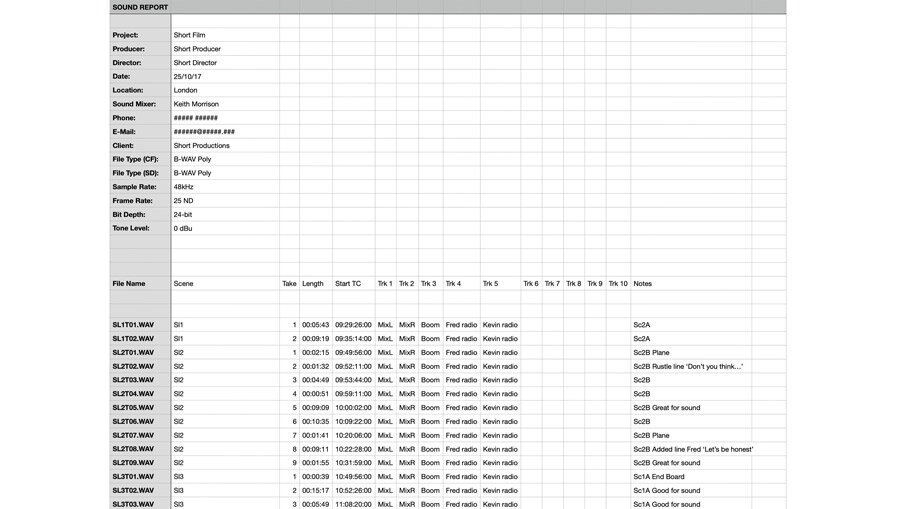
Navigating the complexities of film, television, or even podcast production can be a daunting task, especially when it comes to managing the myriad of audio files generated on set. Without a structured approach, the post-production phase can quickly descend into chaos, leading to missed deadlines, costly re-shoots, and compromised audio quality. This is precisely where a well-designed and consistently utilized Sound Report Template becomes an indispensable tool, acting as the critical bridge between the sound mixer on location and the editors, sound designers, and post-production teams down the line.
A sound report isn't just a formality; it's a vital communication document that provides a comprehensive log of every recorded audio take. It details everything from the scene and take numbers to microphone choices, timecode information, and crucial notes about technical issues or particularly good performances. Its primary purpose is to eliminate guesswork, streamline the editing process, and ensure that every decision made on set concerning audio is clearly documented and understood by those who will shape the final product.

By meticulously logging these details, a sound report safeguards the integrity of your production's audio. It empowers post-production to quickly identify optimal takes, troubleshoot potential problems, and efficiently sync audio with picture. Ultimately, mastering the art of the sound report template isn't just about good organizational practice; it's about preserving artistic vision, saving valuable time and resources, and delivering a superior audio experience to your audience.

What is a Sound Report and Why is it Essential?
A sound report is a written or digital log that documents all audio recordings made during a production. It serves as a detailed manifest for every sound file, providing context and technical information that is critical for the seamless progression from production to post-production. Think of it as the sound department's daily diary, capturing the nuances and challenges of each recording session.
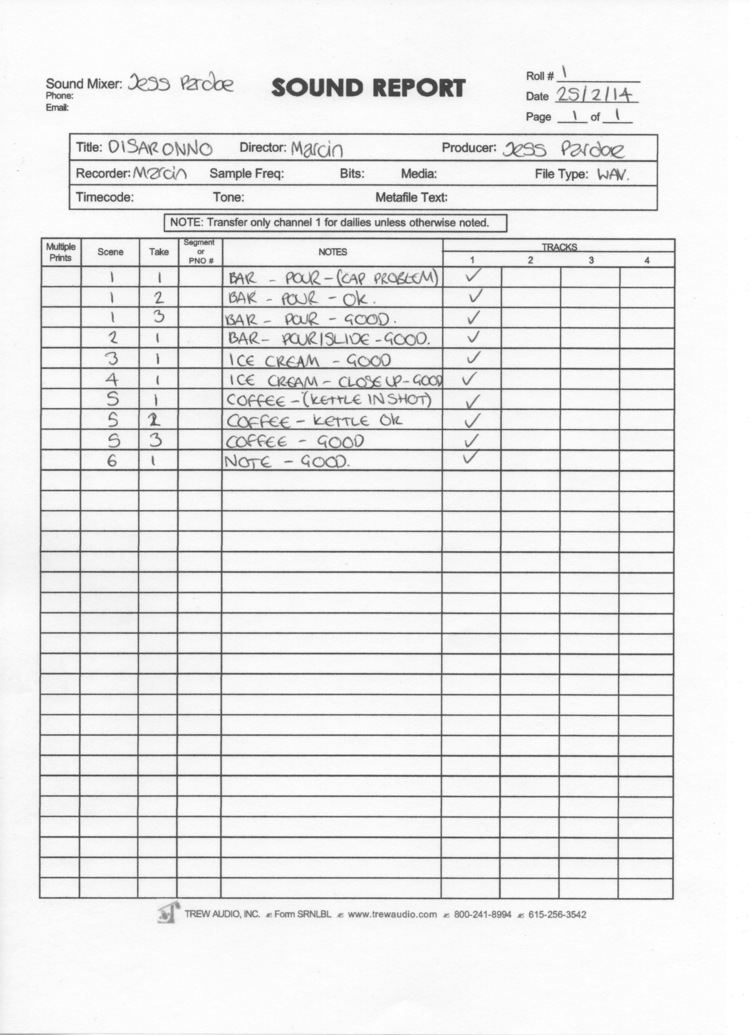
The essential nature of a sound report cannot be overstated. For the sound mixer, it's a tool for systematic record-keeping, ensuring no detail is overlooked. For the editor, it's a roadmap to swiftly locate and assemble audio, cross-referencing takes with visual footage. For the director and producer, it offers insight into the audio quality and potential issues, helping to make informed decisions during reviews. Without this crucial document, the post-production team would be sifting through hours of unlabeled audio, guessing which takes correspond to which scenes, and grappling with undocumented technical problems. This inevitably leads to significant delays, increased costs, and a substantial risk of compromising the final audio mix.
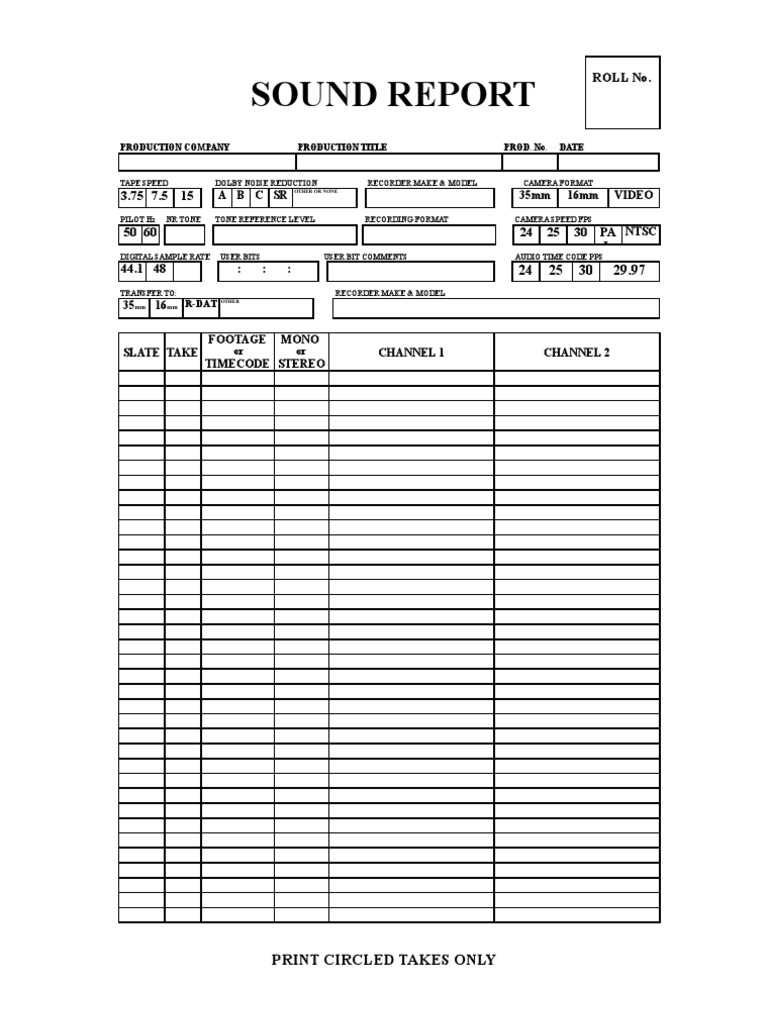
Key Components of an Effective Sound Report Template
A robust sound report template is designed to capture all relevant information in a clear, concise, and easily digestible format. While templates can vary, several core components are universally essential for any professional production.

Production and Project Details
At the top of any sound report, you'll find information that identifies the project and the specific day's work. This includes:

- Project Name/Title: The official name of the film, series, or project.
- Date: The date the audio was recorded.
- Production Company: The entity responsible for the project.
- Director: The director's name.
- Sound Mixer/Recordist: The name of the person responsible for recording audio.
- Assistant Sound Mixer (if applicable): Name(s) of any sound assistants.
- Camera Type/Model: The specific camera(s) being used (e.g., Arri Alexa, Red Komodo).
- Camera Roll/Card Number: A unique identifier for the camera's media.
- Sound Roll/Card Number: A unique identifier for the sound recorder's media (e.g., SD card #1, CF card #2).
Scene and Take Information
This section is the heart of the sound report, detailing each individual recording.
- Scene Number: The official scene number from the script.
- Take Number: The specific take number for that scene (e.g., Take 1, Take 2).
- Description/Contents: A brief note about the take, such as "Master," "Close-up," "Insert," or "MOS" (Motor Only Sync – no sound recorded).
- Timecode In/Out: The exact start and end timecodes of the recorded take. This is incredibly important for syncing.
- Circle Take/Good Take: A checkmark or indicator for takes the director or sound mixer deemed good or excellent.
- Wild Track/FX: Denoting if a recording is a wild track (audio recorded without picture) or a sound effect.
Microphone and Input Details
Understanding how audio was captured is crucial for post-production.

- Microphone List: A list of all microphones used for the scene (e.g., Sennheiser 416, Sanken COS-11D, Boom 1, Lav 1, Lav 2).
- Input Channels: Which recorder input each microphone was routed to.
- Wireless Frequencies: For wireless microphones, logging the specific frequencies used helps troubleshoot interference and identify potential issues.
Notes and Comments
This section allows the sound mixer to communicate critical information that might not fit into other fields.

- Problems/Issues: Any technical issues (e.g., "Airplane noise," "Wireless hitches," "Boom shadow," "Wind noise").
- Special Instructions: Notes for post-production (e.g., "Use Lav 1 for dialogue," "Boom out of frame on Wide," "ADR recommended for line X").
- Sound Quality: Subjective assessment of the take's audio quality.
- Mix Notes: Details about the on-set mix, if applicable.
Media Information
Ensuring that media is correctly labeled and tracked is vital to prevent loss or confusion.

- File Names/Prefixes: The naming convention used for audio files (e.g., "A001C001_12345.WAV").
- Card Capacity/Remaining: Tracking how much space is left on current recording media.
- Offloaded Status: Confirming if the media has been successfully backed up.
Crafting Your Own Sound Report Template: Best Practices
While many standard sound report templates exist, the most effective ones are often customized to the specific needs of a production or a sound mixer's workflow. Creating or adapting your own template ensures it aligns perfectly with your methods and the demands of your projects.
Customization vs. Standard Templates
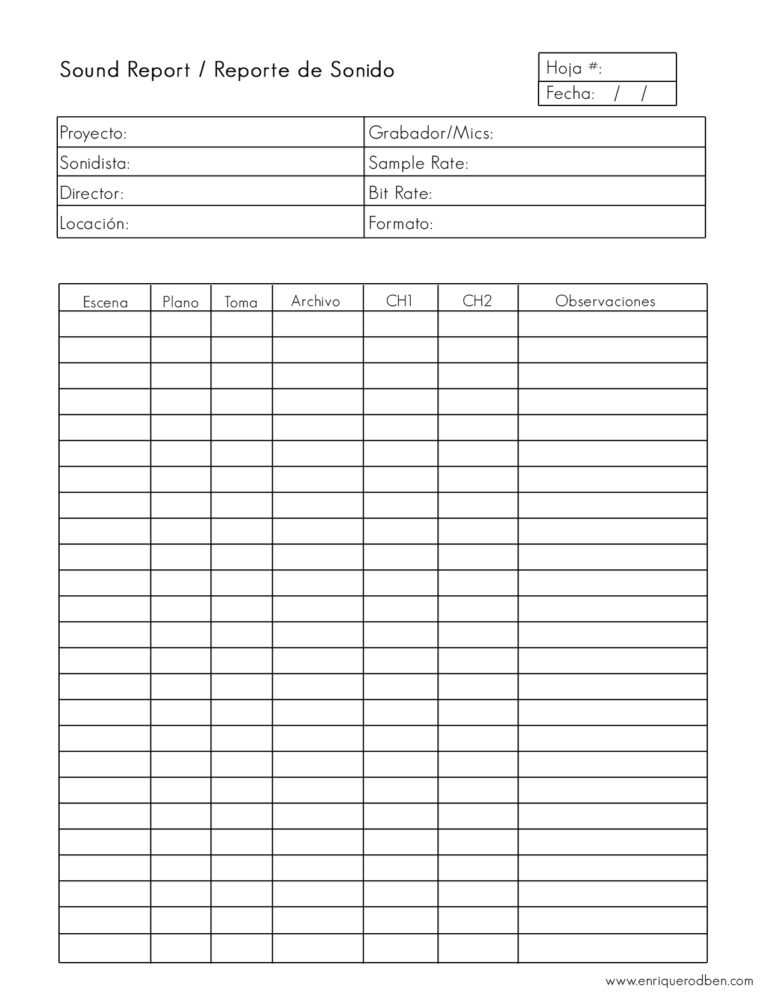
The decision to customize a sound report template versus using a pre-existing one depends on several factors. Smaller, independent productions might benefit from simpler templates focusing on core information. Larger, more complex projects, especially those with multiple sound units or extensive post-production requirements, often necessitate a more detailed and tailored approach. Don't be afraid to start with a standard template (many are available online for free) and then modify it by adding or removing fields that are relevant or irrelevant to your typical workflow.
Digital vs. Physical Templates
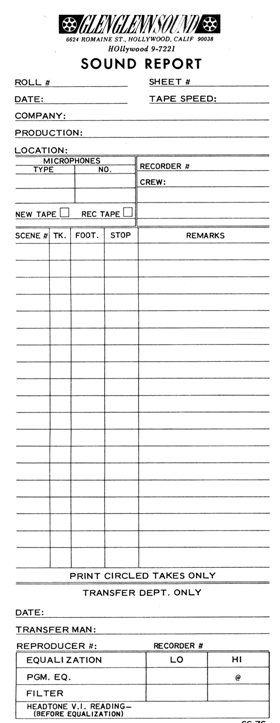
The choice between a digital and physical template is largely a matter of preference and production environment.

- Physical (Paper) Templates:
- Pros: Easy to write on in any conditions, no battery reliance, tangible record.
- Cons: Can get lost or damaged, requires manual transcription for digital archives, potentially illegible handwriting.
- Digital Templates (Apps, Spreadsheets):
- Pros: Automatically time-stamped, highly legible, easily searchable, can be integrated with metadata, direct export to post-production, reduces paper waste.
- Cons: Requires a device (tablet, laptop), battery dependency, potential for technical glitches, can be harder to use in harsh weather.
Many modern sound mixers utilize specialized apps (like Wave Agent, Sound Report Pro, or custom spreadsheet solutions) that directly interface with their recorders or generate reports based on recorded metadata. This is often the most efficient method for large productions.

Clarity and Conciseness
Regardless of format, a good template prioritizes clarity and conciseness. Use clear headings, consistent terminology, and avoid jargon where simpler terms suffice. The goal is for anyone, from a new assistant editor to a seasoned sound designer, to quickly understand the information presented. Don't overcrowd the template; only include information that genuinely adds value.
Consistency is Key
The most crucial best practice is consistency. Fill out your sound report template meticulously for every single take, every single day. Inconsistent reporting is almost as bad as no reporting at all, as it creates gaps and uncertainty for post-production. Develop a routine for filling it out and stick to it. This discipline saves immense headaches down the line.
Digital vs. Analog: Choosing Your Sound Report Method
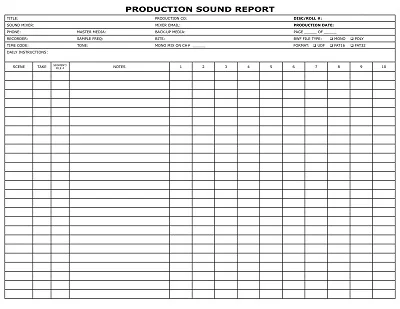
The world of production sound has largely shifted towards digital workflows, and sound reports are no exception. Understanding the pros and cons of both digital and analog methods will help you choose the best approach for your specific needs.
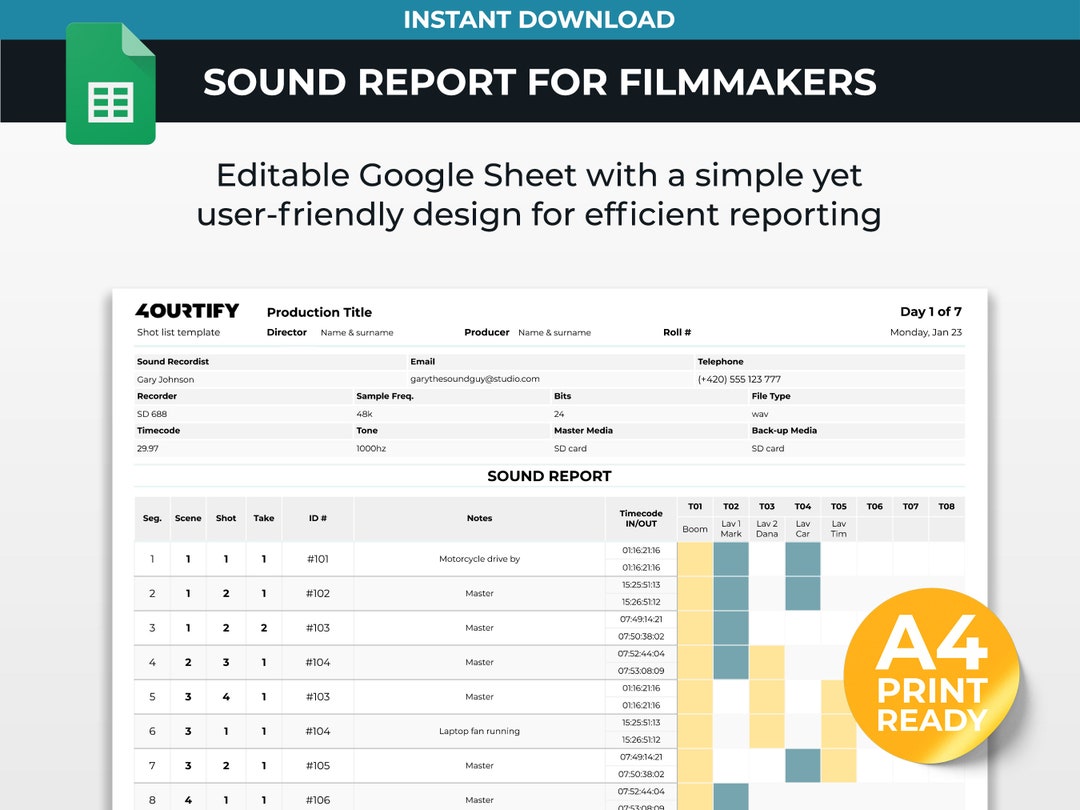
The Rise of Digital Sound Reports
Digital sound reports typically involve dedicated software applications on tablets or laptops, or custom-built spreadsheets. Many modern audio recorders can also generate basic metadata files that can be imported into these applications.
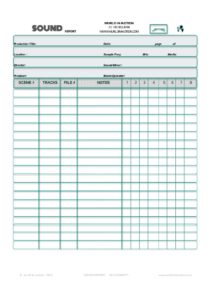
Advantages:
- Accuracy & Legibility: Eliminates handwriting issues and reduces transcription errors.
- Speed & Efficiency: Data can often be entered faster, especially with pre-filled fields or dropdown menus.
- Searchability: Easily search and filter information, which is invaluable during post-production.
- Integration: Can often integrate directly with editing software (e.g., AVID, Premiere, Resolve) or be exported in compatible formats (CSV, XML).
- Backup & Sharing: Easy to back up digitally and share instantly via email or cloud services.
- Metadata Leverage: Many digital solutions can pull metadata directly from recorded files, automating much of the reporting process.
Disadvantages:
- Technology Reliance: Requires charged devices, software, and potentially internet access.
- Learning Curve: Some applications can take time to master.
- Cost: Dedicated apps or custom solutions might incur costs.
- Durability: Tablets can be fragile in harsh production environments (rain, dust, extreme temperatures).
The Enduring Appeal of Analog (Paper) Sound Reports
Despite the digital revolution, paper sound reports still have their place, particularly on smaller, lower-budget productions or in challenging environments where electronics are impractical.
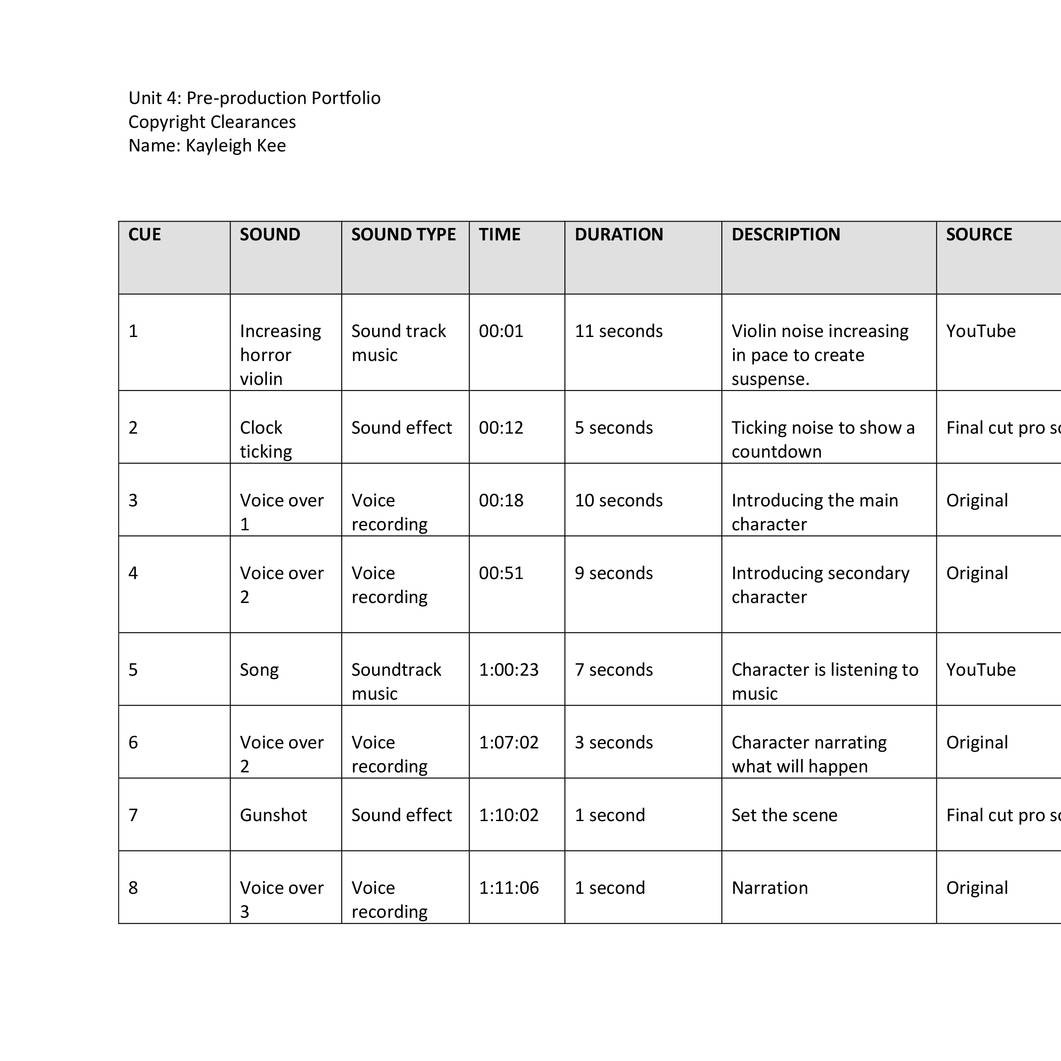
Advantages:
- Simplicity: No power required, no software to learn, just a pen and paper.
- Durability: Less susceptible to technical glitches, though still vulnerable to physical damage.
- Tactile Feedback: Some professionals prefer the physical act of writing notes.
- Cost-Effective: Minimal cost involved (paper, pens).
Disadvantages:
- Legibility Issues: Handwriting can be hard to read, leading to misinterpretations.
- Error Prone: Manual data entry increases the chance of human error.
- Slow for Post: Requires manual transcription into digital systems for editors.
- Storage & Loss: Paper reports can be easily lost, damaged, or take up physical space.
- Limited Search: Searching for specific information is a manual, time-consuming process.
Ultimately, the best method for your sound report template is the one that you can consistently and accurately maintain, and that seamlessly integrates with the rest of your production's workflow. Often, a hybrid approach, where notes are taken on paper initially and then quickly digitized, can offer a good balance.
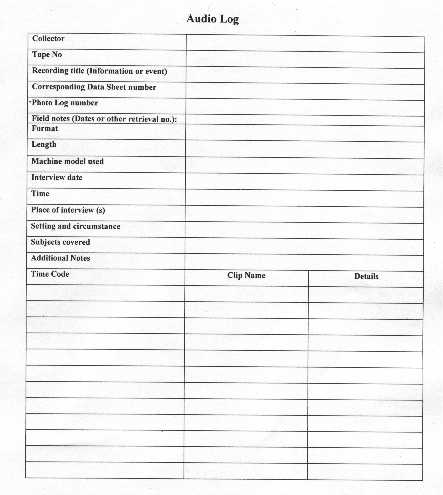
The Workflow: Integrating the Sound Report into Production
A sound report template is only as good as its integration into the daily production workflow. It's not a standalone document; it's an active participant in the communication chain.
When to Fill It Out
The most effective time to fill out the sound report is immediately after each take. While the details are fresh in your mind, log the scene, take number, timecode, and any pertinent notes. Waiting until the end of the day or even after a block of scenes increases the risk of forgetting crucial information or mixing up details between takes. Develop a habit of logging as you go, perhaps during set-ups or when camera is reloading.
Who is Responsible?
The primary responsibility for filling out the sound report lies with the sound mixer or the sound recordist. On larger productions, an assistant sound mixer or utility sound technician might be assigned this duty, working directly under the supervision of the mixer. It's crucial that whoever is responsible understands the importance of accuracy and consistency.
Distribution to Post-Production
Once the day's recording is complete and media has been securely backed up, the sound report needs to be distributed to the relevant post-production personnel.
- Daily Deliverables: The report should be delivered alongside the audio files and often the camera report.
- Key Recipients:
- Picture Editor: Essential for syncing audio to picture and understanding take quality.
- Assistant Editor: Responsible for ingesting and organizing media.
- Sound Editor/Designer: Needs to understand microphone choices, issues, and specific notes for sound design.
- Post-Production Supervisor/Producer: For overall project oversight and troubleshooting.
- Preferred Format: Digital reports (PDF, CSV, XML) are highly preferred as they can be easily integrated into digital workflows and shared via cloud storage or dedicated production portals.
How it Aids Editing and Sound Design
The sound report is an invaluable resource for post-production:
- Efficient Syncing: Timecode and take information allows assistant editors to quickly and accurately synchronize audio and video.
- Take Selection: "Circle takes" and detailed notes guide editors to the best audio performances, saving time reviewing every single take.
- Troubleshooting: If a take has audio issues (e.g., "airplane noise"), the report alerts the editor and sound designer, allowing them to anticipate and plan for solutions like ADR (Automated Dialogue Replacement) or extensive noise reduction.
- Sound Design Information: Knowing which microphones were used and any special on-set recordings (wild tracks, room tone) helps sound designers make informed choices and reconstruct the sonic environment effectively.
Common Mistakes to Avoid When Using a Sound Report Template
Even with the best intentions, errors can creep into the sound reporting process. Being aware of these common pitfalls can help you maintain a high standard of accuracy and effectiveness.
Incomplete Information
One of the most frequent mistakes is leaving fields blank or providing insufficient detail. A vague note like "Noise" isn't helpful; "Constant traffic rumble from outside window" provides actionable information. Ensure all required fields are filled out comprehensively for every take. If a field isn't relevant, mark it as "N/A" (Not Applicable) rather than leaving it empty.
Illegible Handwriting (for Analog Reports)
If you're using a paper sound report template, ensure your handwriting is neat and clear. What might be perfectly decipherable to you in the field could be an enigma to an editor trying to read it in a dimly lit edit suite. If your handwriting is often a problem, strongly consider switching to a digital solution.
Inconsistent Naming Conventions
Maintain a consistent naming convention for your audio files and ensure it matches what's logged in your report. Discrepancies between file names and the report can lead to significant confusion and delays in matching audio to picture.
Lack of Communication
The sound report is a communication tool. If there's a particularly tricky take, a critical issue, or an exceptional performance, don't rely solely on the report. A quick verbal or email heads-up to the post-production supervisor or editor can preempt problems and foster better collaboration.
Not Updating the Template
Production needs evolve. If you find yourself consistently writing the same type of note in the "comments" section, it might be a sign that your sound report template needs an update. Add a dedicated field for that recurring information to streamline your process and make it clearer for others. Similarly, if certain fields are never used, consider removing them to reduce clutter.
Failing to Backup Reports
Just like your audio files, your sound reports are critical data. If you're using paper reports, make physical copies or digitize them by scanning. For digital reports, ensure they are regularly backed up to multiple locations (e.g., cloud storage, external hard drive) along with your audio media. Losing a sound report is akin to losing the map for your audio treasure.
Conclusion
The Sound Report Template is far more than just administrative paperwork; it is a foundational pillar of professional audio production. From the moment sound waves hit the microphone to the final mix, this document ensures clarity, efficiency, and accuracy across every stage of the filmmaking process. By meticulously documenting technical specifics, performance notes, and crucial timecode information, it acts as the indispensable communication link between the creative chaos of the set and the meticulous crafting in post-production.
Mastering your sound report template means adopting best practices in logging, choosing the right digital or analog method for your workflow, and integrating it seamlessly into your daily routine. By avoiding common pitfalls like incomplete information or inconsistent reporting, you empower your editing and sound design teams to work more effectively, save valuable time and resources, and ultimately deliver a higher quality final product. Embrace the sound report as your ally in achieving sonic excellence, and you'll find that organized audio is truly the bedrock of a successful production.
0 Response to "Master Your Audio Sound Report Template"
Posting Komentar