In today's hyper-connected workplace, mobile devices are no longer a luxury but a necessity for productivity. Whether your organization provides corporate-owned smartphones and tablets or allows employees to use their personal devices for work, establishing clear guidelines is crucial. A comprehensive Mobile Device Acceptable Use Policy Template serves as the foundation for managing these devices, securing sensitive company data, and setting clear expectations for your team. Without a formal policy, you open your business to significant risks, including data breaches, compliance violations, and productivity loss.
The proliferation of Bring Your Own Device (BYOD) and remote work models has blurred the lines between personal and professional technology use. This shift presents a unique set of challenges for IT departments and business leaders. How do you protect corporate assets on a device you don't own? What security measures are mandatory? What happens if a device containing company data is lost or stolen? A well-defined policy addresses these questions head-on, providing a clear framework that protects both the company and the employee.
This guide is designed to help you understand the critical components of an effective mobile device policy. We will explore why such a policy is non-negotiable in the modern business landscape, break down the essential sections every policy should include, and provide a customizable template to get you started. By implementing a robust acceptable use policy, you can empower your employees to work flexibly and efficiently while simultaneously fortifying your organization's security posture.

Why Every Business Needs a Mobile Device Policy
The use of smartphones and tablets for work-related tasks is standard practice. While this boosts flexibility and efficiency, it also introduces substantial risks. A Mobile Device Acceptable Use Policy (AUP) is not just a bureaucratic document; it's a critical layer of your organization's security and operational strategy. It provides the necessary framework to manage these risks effectively.
Enhancing Cybersecurity
Mobile devices are a prime target for cybercriminals. They are susceptible to malware, phishing attacks, and man-in-the-middle attacks, especially when connected to unsecured public Wi-Fi networks. A strong policy mitigates these threats by mandating essential security measures. This includes requiring strong passcodes or biometric authentication, enforcing automatic screen locks, mandating the use of approved security software, and educating employees on how to identify and avoid phishing scams. By setting a baseline for security, you significantly reduce the risk of a mobile device becoming the weak link in your company's defense.

Protecting Sensitive Company Data
Your company's data is one of its most valuable assets. This includes intellectual property, financial records, strategic plans, and sensitive customer information. When employees access this data on mobile devices, the risk of a data leak—accidental or malicious—increases dramatically. A mobile device AUP defines how company data can be stored, accessed, and transmitted on these devices. It can enforce the use of encrypted containers to separate corporate data from personal data, prohibit the use of unapproved cloud storage services, and establish protocols for data handling to prevent unauthorized access or disclosure.

Ensuring Legal and Regulatory Compliance
Many industries are subject to strict data protection regulations, such as the General Data Protection Regulation (GDPR) in Europe or the Health Insurance Portability and Accountability Act (HIPAA) in the United States. These regulations impose severe penalties for data breaches and non-compliance. A formal mobile device policy is a key component of demonstrating due diligence. It shows that your organization has taken proactive steps to secure sensitive information, regardless of the device it resides on. It also helps in establishing a clear chain of responsibility in the event of a security incident, which is crucial for audits and legal proceedings.

Managing Employee Productivity and Expectations
A clear policy sets unambiguous expectations for employees. It outlines what constitutes acceptable personal use of company-owned devices and defines the boundaries for using personal devices for work. This clarity helps prevent misunderstandings and potential conflicts. By specifying which apps are approved for work and which are prohibited, you can steer employees away from applications that are known security risks or productivity drains. It also helps manage expectations regarding support, clarifying what the IT department will and will not support on personal devices.
Key Components of a Comprehensive Mobile Device AUP
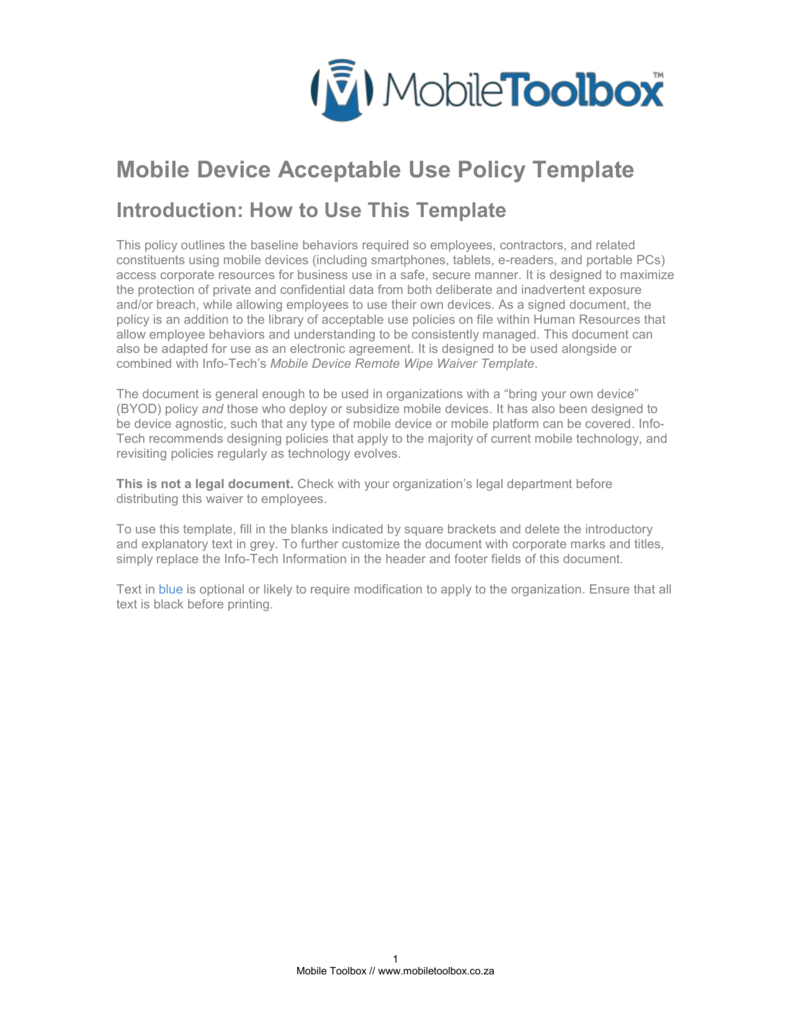
A robust mobile device policy is detailed and clear, leaving no room for ambiguity. To be effective, it must cover several key areas that address security, usage, and responsibilities. These components form the backbone of a policy that protects your organization and guides your employees.
Scope and Purpose
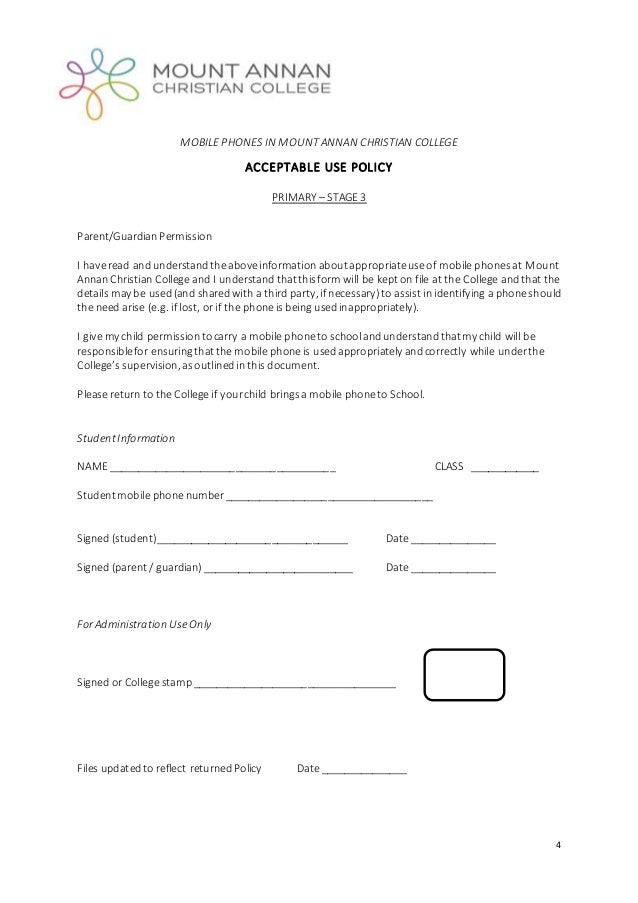
This initial section clarifies the "who, what, and why" of the policy. It should explicitly state the policy's purpose, which is typically to protect the company's information assets and ensure the secure, responsible use of mobile devices. The scope defines who the policy applies to (e.g., all full-time employees, contractors, temporary staff) and what devices are covered. It's crucial to specify if the policy applies to company-owned devices, personal devices used for work (BYOD), or both.
Acceptable Use Guidelines
This is the core of the policy, detailing what employees are permitted and prohibited from doing.
- Permitted Activities: List the types of work-related tasks employees are allowed to perform, such as accessing company email, calendars, and specific business applications.
- Prohibited Activities: Clearly forbid actions that pose a security risk or violate legal or ethical standards. This often includes jailbreaking or rooting devices (which bypasses built-in security features), downloading apps from untrusted sources, using the device for illegal activities, or sharing the device with unauthorized individuals.
Security Requirements
This section outlines the mandatory security configurations for any mobile device accessing company resources. It is non-negotiable and essential for protecting your network.
- Authentication: Mandate the use of strong passwords, PINs, or biometric authentication (fingerprint or face ID).
- Screen Lock: Require that all devices have an automatic screen lock that activates after a short period of inactivity (e.g., 1-5 minutes).
- Encryption: Specify that device-level encryption must be enabled to protect data if the device is lost or stolen.
- Software Updates: Require employees to install operating system and application updates promptly to patch security vulnerabilities.
- Network Connections: Advise against using unsecured public Wi-Fi for accessing sensitive company data and recommend or require the use of a company-provided VPN.
Data Management and Backup
This component governs how company data is handled on mobile devices. It should specify where company data can be stored and prohibit the use of unauthorized personal cloud services (like a personal Dropbox or Google Drive) for work files. It should also outline the company's backup policy for corporate data on mobile devices and clarify the employee's responsibility for backing up their personal data.

Lost or Stolen Device Protocol
A swift response is critical when a device containing company data goes missing. This section must provide clear, step-by-step instructions for employees. The protocol should require employees to immediately report a lost or stolen device to a specific person or department (e.g., the IT help desk or their direct manager). It should also inform employees that the company reserves the right to remotely wipe the device to protect its data. This section should clearly distinguish between a full factory reset and a selective wipe of only corporate data, especially in a BYOD scenario.
Policy Enforcement and Consequences
A policy is only effective if it's enforced. This section should state that the company monitors compliance with the policy. It must also clearly outline the consequences for violations, which can range from a verbal warning for a minor infraction to disciplinary action, including suspension or termination of employment, for serious or repeated violations.

BYOD vs. COPE: Tailoring Your Policy
The ownership model of the mobile devices used in your organization significantly impacts the specifics of your acceptable use policy. The two most common models are Bring Your Own Device (BYOD) and Company-Owned, Personally-Enabled (COPE). Your policy must be tailored to the model you support.

Considerations for a BYOD Policy
In a BYOD model, employees use their personal smartphones and tablets for work. This offers flexibility and can reduce hardware costs for the company, but it introduces complexities around privacy and security.

- Privacy: A BYOD policy must clearly respect employee privacy. It should state that the company will not access personal data, such as photos, personal emails, or text messages. It should define the company's visibility into the device and its activities.
- Data Segregation: The best practice for BYOD is to use technology like mobile device management (MDM) or mobile application management (MAM) to create a secure, encrypted container on the device for all corporate data and applications. This separates work from personal life and allows the company to wipe only the corporate container if the employee leaves the company or the device is lost, leaving personal data untouched.
- Stipends and Reimbursement: The policy should address whether the company will provide a stipend to employees to cover costs associated with using their personal device for work, such as a portion of their mobile plan.
- Support: Define the level of IT support provided for personal devices. Typically, support is limited to company-approved applications and connectivity issues, not the device's hardware or personal software.
Considerations for a COPE Policy
In a COPE model, the company owns the device but allows for a reasonable amount of personal use. This gives the organization greater control over security and management.

- Company Rights: The policy for COPE devices should state that because the device is company property, the organization reserves the right to monitor its use, track its location, and inspect the data stored on it. There should be no expectation of privacy for any activity conducted on the device.
- Limitations on Personal Use: While personal use is enabled, the policy should set clear boundaries. This might include prohibiting the installation of certain types of apps (e.g., games, social media), restricting data usage for personal activities, or forbidding use for illegal or inappropriate content.
- Device Return: The policy must include a clear procedure for returning the device upon termination of employment. This process should include wiping all data from the device before it is reassigned.
The Complete Mobile Device Acceptable Use Policy Template
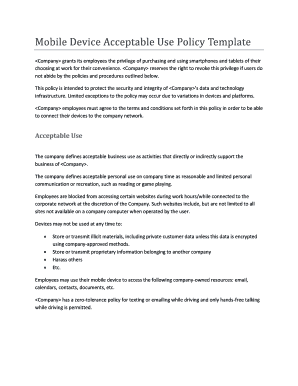
This template provides a solid foundation for creating your own policy. Be sure to customize it to fit your organization's specific needs, culture, and legal requirements. It is always recommended to have your legal counsel review the final document before implementation.

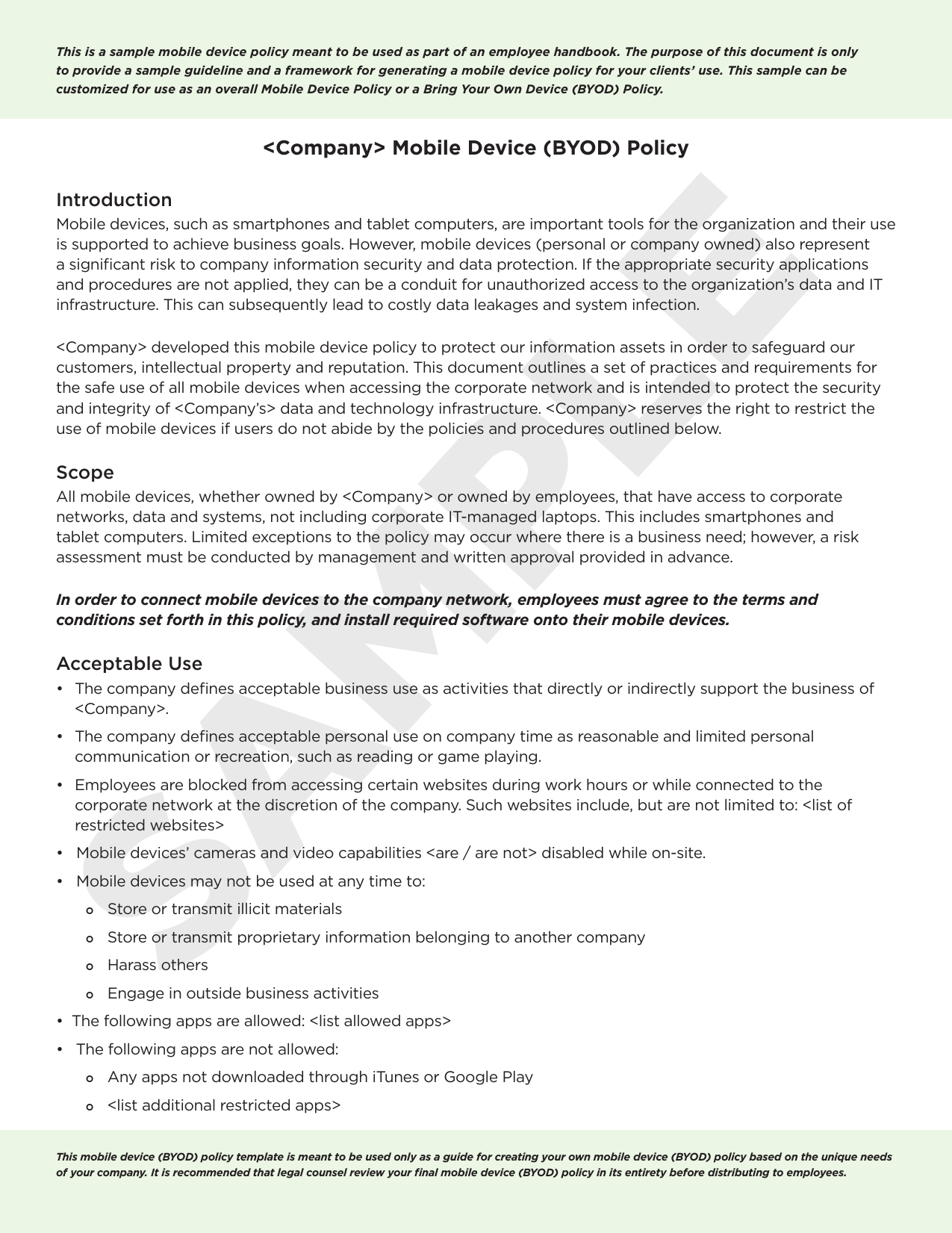
1.0 Policy Statement & Purpose
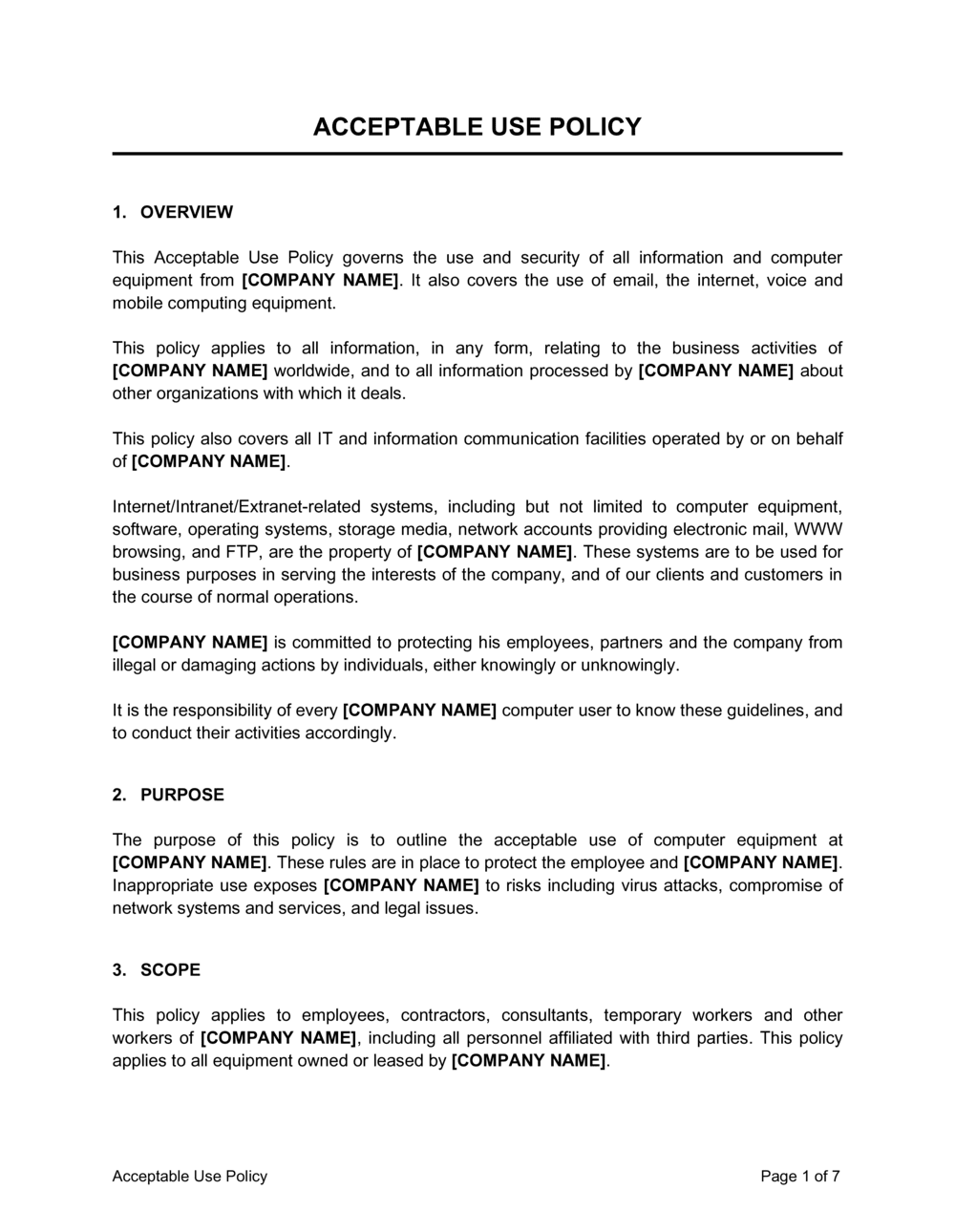
This policy outlines the acceptable use of mobile devices to access [Company Name]'s network and data resources. The purpose of this policy is to protect the security and integrity of [Company Name]'s data and technology infrastructure. This policy aims to define standards, procedures, and restrictions for the use of mobile devices and to ensure employees are aware of their responsibilities.
2.0 Scope
This policy applies to all [Company Name] employees, contractors, and other authorized users who use a mobile device to access, store, or transmit company information. This includes all company-owned devices (COPE) and all personal devices used for work purposes (BYOD).
3.0 Device & Data Security Requirements
All mobile devices connecting to the company network or accessing company data must comply with the following security standards:
- 3.1 Authentication: All devices must be configured with a secure PIN, password, or biometric lock (e.g., fingerprint or Face ID). The device must be locked when not in active use.
- 3.2 Auto-Lock: Devices must be configured to automatically lock after a maximum of [e.g., 5 minutes] of inactivity.
- 3.3 Encryption: The storage on all mobile devices must be encrypted.
- 3.4 Software Updates: Employees are responsible for ensuring their device's operating system and applications are kept up-to-date with the latest security patches.
- 3.5 Approved Applications: Only applications approved by the [Company Name] IT Department may be used to access company data. The installation of software from untrusted sources is strictly prohibited.
- 3.6 Network Security: Use of unsecured public Wi-Fi networks to access or transmit sensitive company information is strongly discouraged. A company-provided VPN must be used when connecting to any untrusted network.
- 3.7 Mobile Device Management (MDM): [Company Name] reserves the right to require the installation of MDM software on any device accessing company resources. This software helps enforce security policies and allows for remote management.
4.0 Acceptable & Unacceptable Use
- 4.1 Acceptable Use:
- Accessing company email, calendar, and contacts.
- Using approved business applications and collaboration tools.
- Reasonable and limited personal use is permitted for company-owned (COPE) devices, provided it does not interfere with work duties or violate any other company policy.
- 4.2 Unacceptable Use:
- Jailbreaking or rooting the device.
- Disabling or attempting to circumvent security settings.
- Using the device for any illegal, unethical, or malicious activity.
- Storing sensitive company data on unapproved personal cloud services.
- Sharing a work-configured device with non-employees or family members.
5.0 Lost or Stolen Device Procedure
If a mobile device containing company data is lost or stolen, the employee must:
- Immediately notify the [Company Name] IT Department at [IT Support Phone Number or Email] and their direct manager.
- Provide details about the device and the circumstances of its loss.
Upon notification, [Company Name] reserves the right to remotely wipe the device to protect company data. For BYOD devices, this action will be limited to wiping the corporate data container only, where technologically possible.
6.0 Policy Violations
Failure to comply with this policy may result in disciplinary action. Depending on the severity of the violation, consequences may include a verbal or written warning, revocation of mobile access privileges, or termination of employment.
7.0 Employee Acknowledgement
I, [Employee Name], acknowledge that I have read, understand, and agree to comply with the [Company Name] Mobile Device Acceptable Use Policy. I understand that failure to adhere to this policy may result in disciplinary action.
Employee Signature: ________________________
Date: ________________________
Implementing and Communicating Your New Policy
Creating a policy document is only half the battle. Successful implementation hinges on clear communication, thorough training, and consistent enforcement. A policy that sits unread on a server provides no protection.
Gaining Buy-In from Leadership and Staff
Before rolling out the policy, get feedback from key stakeholders, including department heads, IT staff, and a representative group of employees. This collaborative approach helps create a more practical and reasonable policy, increasing the likelihood of widespread adoption. When leadership visibly supports and adheres to the policy, it sends a powerful message to the entire organization.
Training and Education
Don't just email the policy and expect everyone to read and understand it. Schedule mandatory training sessions to walk employees through the document. Use this time to explain the "why" behind the rules, focusing on the importance of security for both the company and the employees themselves. Demonstrate how to enable required security settings and answer any questions they may have. This proactive education can prevent many common violations.
Obtaining Employee Acknowledgement
Require every employee covered by the policy to sign an acknowledgement form (either physically or digitally). This confirms they have read, understood, and agreed to comply with the policy. This signed acknowledgement is a crucial document for HR and legal purposes, as it demonstrates that the employee was made aware of their responsibilities.
Regular Policy Review and Updates
Technology and threats are constantly evolving. Your mobile device policy should be a living document, not a static one. Schedule a formal review of the policy at least once a year, or more frequently if new technologies or security threats emerge. This ensures your policy remains relevant, effective, and compliant with changing regulations.
Conclusion
In an era defined by mobile technology and remote work, a Mobile Device Acceptable Use Policy is an indispensable tool for any organization. It's far more than a set of rules; it's a strategic framework that balances productivity with security, flexibility with control. By clearly defining expectations, mandating essential security measures, and creating clear protocols for incidents, you protect your company's most valuable assets—its data and its people.
Implementing a policy using a well-structured template as a starting point simplifies the process and ensures you cover all critical bases. Remember to tailor it to your specific business model, whether BYOD, COPE, or a hybrid approach. The key to success lies not only in the quality of the document itself but also in its implementation through clear communication, comprehensive training, and consistent enforcement. A thoughtfully crafted and actively managed mobile device policy is a cornerstone of a modern, resilient, and secure business.
0 Response to "Mobile Device Acceptable Use Policy Template"
Posting Komentar